GUI Setting
Choose GUI settings from the Settings category in the menu to view or change basic configurations regarding the graphical user interface of the Orchestra monitor.
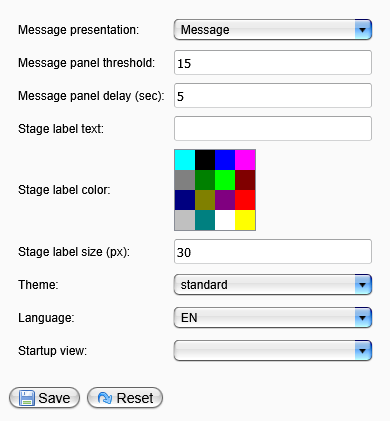
| Parameter | Description |
|---|---|
Message presentation | Displays the mode of information (dialog or message panel). |
Message panel threshold | Specifies the number of messages held in message mode. |
Message panel delay | Defines the duration (in seconds) for displaying the message panel. |
Stage label text | (Optional) Sets the title of the environment in the monitor header panel. |
Stage label color | (Optional) Selects the color of the stage label's text. |
Stage label size | Specifies the size (in pixels) of the stage label's text. |
Theme | Chooses the monitor theme (the standard installation includes standard and dark themes, and more themes can be added easily). |
Language | Selects the language for the Orchestra monitor. |
Startup view | Specifies the start view to be displayed after a successful login. |
Finally, click the Save button to store your changes, or click Reset to restore all values to default.